numeric-sovereignty.org
Your journey towards numeric sovereignty starts here !
Your journey towards numeric sovereignty starts here !
May 19th, 2026
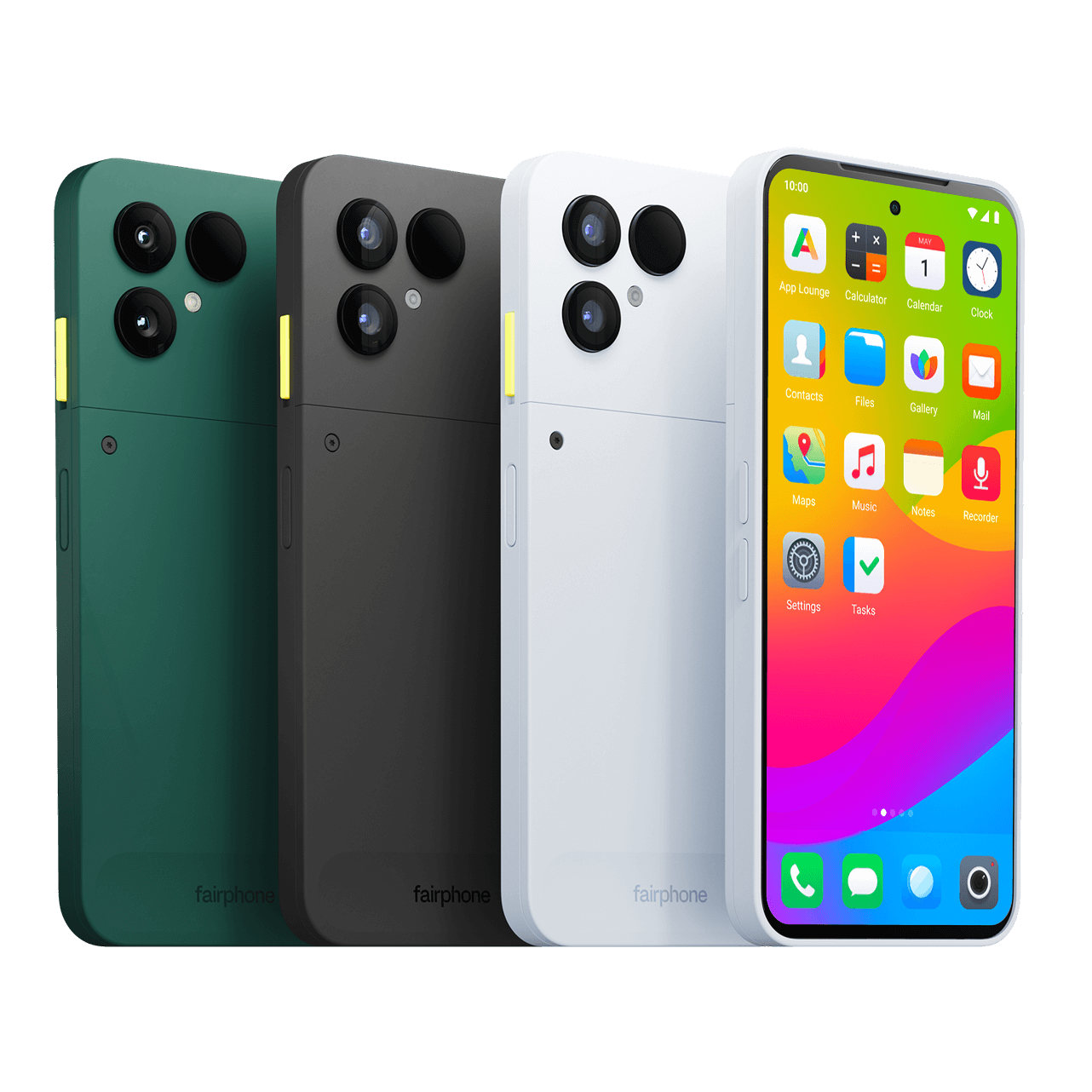
A few days ago, I shared my struggle to enforce a warranty claim on my iPhone 16 Pro. Following that, I made a radical choice and opted for a Fairphone 6 running /e/OS, a "de-Googled" Android system. Today, I’ll share my experience with you.
This review doesn’t aim to deeply analyze the design and features of the Fairphone 6, but rather to summarize the essentials and address the key points of my transition from the iPhone 16 Pro to the Fairphone 6.
Obviously, it’s hard to compare the price of an iPhone 16 Pro with a Fairphone 6. Needless to say, the iPhone 16 Pro is clearly more expensive. I was able to get the Fairphone for 400 CHF, whereas I had bought the iPhone 16 Pro for 930 CHF. And the price of the iPhone 16 Pro has even increased since then...
I won’t dwell too much on comparing the devices in terms of performance, as everyone knows (or almost) that the iPhone 16 Pro will be superior in every aspect when it comes to raw power, camera, or screen quality.
When I opened the package, I must admit I was pleasantly surprised by the product. It’s slightly thicker than most current phones. However, this is absolutely not bothersome, and the overall design is well-made.
Size/Weight:
Since I’m comfortable with technology, I chose to do the installation myself. However, it is possible to order the Fairphone 6 with /e/OS pre-installed, but this will add around 200 CHF to the phone’s price.
The installation is relatively simple but is still reserved for tech-savvy people!!! Just follow the steps described on the official website: e.foundation/installer/.
Warning: At the end of the process, remember to immediately re-lock the bootloader, as this will erase all the phone’s data once again!!!
Very Important: You must also ensure that the security updates are at least at the same level as the old system. If you install a new system with older security updates than the base system, it can irreversibly damage the phone!!!
On this point, the Fairphone with /e/OS has a clear advantage. By turning off my iPhone 16 Pro every night, I barely managed to get 2 days of use. The Fairphone 6 lasts 3 days.
Although less bright than the iPhone 16 Pro’s, I find that the screen holds up very well. Protected by scratch-resistant Gorilla Glass 7i, it has a thicker bezel than the iPhone 16 Pro, but nothing dramatic.
Apart from that, it’s a good display, and the difference will mainly be noticeable in direct sunlight, as it’s less bright than the iPhone 16 Pro’s.
On this point, I knew very well that I would be losing something, and that’s confirmed. While the Fairphone 6’s camera performs well in most cases, it quickly shows its limits when lighting isn’t optimal or when the subject is moving.
To take a photo of your young child who’s constantly fidgeting, the iPhone 16 Pro will remain superior.
After a few days of use, I quickly realized that the brightness sensor performs much better on the iPhone 16 Pro. It’s not uncommon for the Fairphone, in a dark environment, to change the brightness erratically, and I must admit that it’s a bit annoying.
I’m not entirely sure about this, but it’s possible that this is partly due to the reflections from my glasses. Indeed, it works much better if I’m not facing the phone directly.
Two solutions for this: switch the brightness setting to manual, or hold the smartphone at a more tilted angle so it’s not facing the glasses.
It works in most cases, but I must admit that with a protective case, its position isn’t really optimal. I’d say it works on the first try about 7 out of 10 times.
No facial recognition for now, and that’s just as well. I think that on smartphones in this range, it would be too easy to unlock the device with a simple photo.
This is the equivalent of the App Store. In my case, I was able to find all the apps I used on iOS there. However, App Lounge doesn’t cover the entire Play Store! Some apps may be missing or may not work correctly.
Its strength? It allows you to download apps in anonymous mode, so without needing to provide a Google account. For paid apps, you’ll obviously need a Google account.
By the way, the system will advise you not to use your main Google account to download apps, but rather to create a dedicated Google account, just in case...
To use Android Auto (or should I say... Google Auto...), there are two options:
Once that’s done, you should be able to set up Android Auto. Typically, Google services and voice recognition won’t work, but honestly, it does the job just fine. For my part, I use the “HERE WeGo” app for navigation. Calls also work fine, nothing to report on that front.
I’ve always used Apple Maps on my iPhone. As mentioned earlier, I selected HERE WeGo, which works very well for my needs. They seem to respect privacy and offer an offline mode, which is perfect for avoiding using cellular data abroad.
This is undoubtedly the strong point of /e/OS, but also the one that will really make you understand why you chose this system. By default, /e/OS blocks app trackers and regularly reports on this (you can also check this at any time in Settings → Advanced Privacy).
What is a tracker? Nothing less than pieces of code hidden in apps that collect your data 7 days a week, 24 hours a day!!!
Thus, you’ll quickly realize that news apps are a real plague. To name just two:
In less than a month, 1,640 leaks were blocked for 20 Minutes!!! And nearly 500 leaks for Le Temps!!! I don’t know what you think, but for me, it’s terrifying to realize, in hindsight, that my iPhone wasn’t doing anything, or not much, about this. Admittedly, Apple offers "Ask App Not to Track," but I get the impression that this option isn’t always available when you install an app. We can add that it doesn’t block all trackers and depends on the developer’s goodwill.
The great strength of Android, and consequently /e/OS: customizing things as you wish. Want to change the launcher (theme)? Just download one. Want to replace an app icon? Nothing’s stopping you.
On iOS, everything is much more closed off, and in the end, design changes are quickly very limited.
An important point: not all banking apps will work on /e/OS. For security reasons, some apps (mostly banking apps, but not only) block rooted devices due to the lack of a Google Play Integrity certificate.
It’s best to check this point before taking the plunge. For information, a list is maintained on the /e/OS forum.
I obviously didn’t want to install Google Pay on my phone. And after some research, it doesn’t seem to work properly. To continue being able to make contactless payments, I opted for a Tapster bracelet.
Once again, it’s hard to compete with Apple when it comes to backups. When changing phones, I’ve always been able to restore an iCloud backup and automatically retrieve all my data, down to the last icon!
/e/OS offers the cloud from murena.io. By default, it can back up:
That’s already quite good, but you won’t be able to do a full phone restore and get everything back as it was.
Note that there’s also Seedvault. I haven’t really tested it, but according to forum reviews, it doesn’t seem very reliable at the moment.
In the event of losing or having an Apple product stolen, it’s possible to lock or even completely erase the device if needed.
To my knowledge, there’s no equivalent on /e/OS. During setup, you’ll still be presented with a solution that allows you to locate your phone. A code will be displayed, and you’ll need to keep it like a password. If you want to know your device’s location, you’ll need to send this code via SMS to your phone number. However, don’t expect more than that, at least not natively.
iCloud offers a tool that I really liked. I buy a lot of things online, and this has consequences: all too often, your email will then be targeted by advertising campaigns, spammed by newsletters, sold by the online store to brokers, or the store in question will get hacked one day or another, and your email address will end up leaking.
To avoid, or at least reduce, this problem, iCloud provides a service to hide your email. By generating a "fake" iCloud address that redirects to your real inbox, you maintain better control over the issues mentioned earlier, and you can disable the alias at any time if you deem it necessary.
By leaving Apple, I lost this functionality. My choice fell on addy.io. This service is free for up to 10 aliases. For the rest, I’ll let you check their pricing, which is quite reasonable.
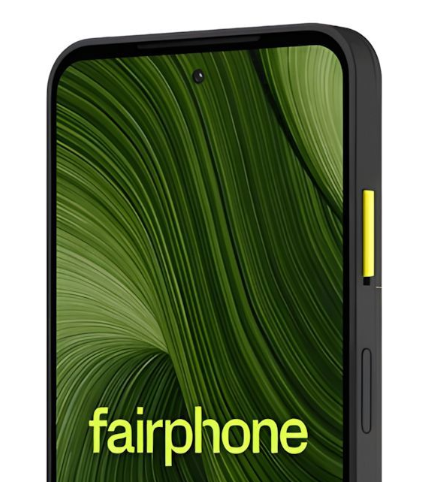
One interesting feature is the presence of what’s called a "kill switch" on the side of the phone. By flipping the yellow button, the cameras and microphone will be disabled. This further enhances privacy protection. Obviously, if you’ve activated the button, you’ll need to flip it back quickly when you receive a call. This disconnect is software-based, not physical. A hardware switch (actually cutting the circuit) would provide a higher level of security, as it would prevent any activation, even in the event of a software vulnerability or advanced malware.
| Criteria | Fairphone 6 (/e/OS) | iPhone 16 Pro |
|---|---|---|
| Carbon Footprint | ✅ < 40 kg CO2e | ⚠️ 60–70 kg CO2e |
| Repairability | ✅ 9.3/10 | ⚠️ 8.1/10 |
So, in the end, who is the target audience for the Fairphone with /e/OS?
For everyone else, you’ll have understood that the iPhone 16 Pro is superior in many ways, and that’s no surprise. The two phones clearly don’t play in the same league.
Despite this, the Fairphone 6 with /e/OS performs really well and is a genuine alternative for those looking to avoid Google/American services.
Currently, dependence on American resources is increasingly concerning, and this can clearly justify the transition.
After just under a month of use, I’m fully satisfied with this device, but I was totally aware that it was a "downgrade." If you’re not ready to take a small step back to free yourself from American services, I advise you to look elsewhere: this phone clearly won’t be for you!